

Using ChatGPT properly is actually very simple. If you know what to ask and how to ask, you can save a lot of time and get better results. Here are some practical tips.
1. Be Clear About What You Want
Instead of a vague question, give a clear goal.
❌ Weak question
Tell me about business.
✅ Better question
Explain how to start a small construction contracting business in Jharkhand.
The clearer the question, the better the answer.
2. Give Context
If you provide some background, ChatGPT can give more accurate advice.
Example:
Instead of saying
How to write an email?
Say
I need to write a professional email to a government officer regarding tender submission error.
3. Ask for Specific Formats
You can ask ChatGPT to create content in many formats:
- Blog posts
- Emails
- Legal letters
- Business plans
- Study roadmaps
- Social media captions
- SEO content
- Tender documents
- Excel formulas
Example:
Write a formal letter to the tender officer about a technical submission error.
4. Ask ChatGPT to Improve Your Text
You can paste any text and ask ChatGPT to:
- Rewrite
- Make it formal
- Fix grammar
- Translate
- Make it shorter
- Make it professional
Example:
Rewrite this email in a professional tone.
5. Use ChatGPT as a Learning Tool
You can learn many skills:
- Excel
- Data analytics
- Business
- Tender processes
- Government licenses
- Blogging / SEO
- WordPress
- Legal basics
Example:
Create a roadmap to become a data analyst from beginner to expert.
6. Ask Follow-Up Questions
The best way to use ChatGPT is step-by-step conversation.
Example flow:
- How to start a contracting business?
- What licenses are required?
- How to register on tender portals?
- How to prepare technical bids?
7. Ask ChatGPT to Do the Work
You can directly ask:
- “Draft this letter”
- “Create this blog”
- “Explain this document”
- “Summarize this PDF”
- “Give step-by-step guide”
✅ Pro Tip:
Treat ChatGPT like a research assistant + writer + advisor.
You ask → ChatGPT will analyze → ChatGPT will produce the result.
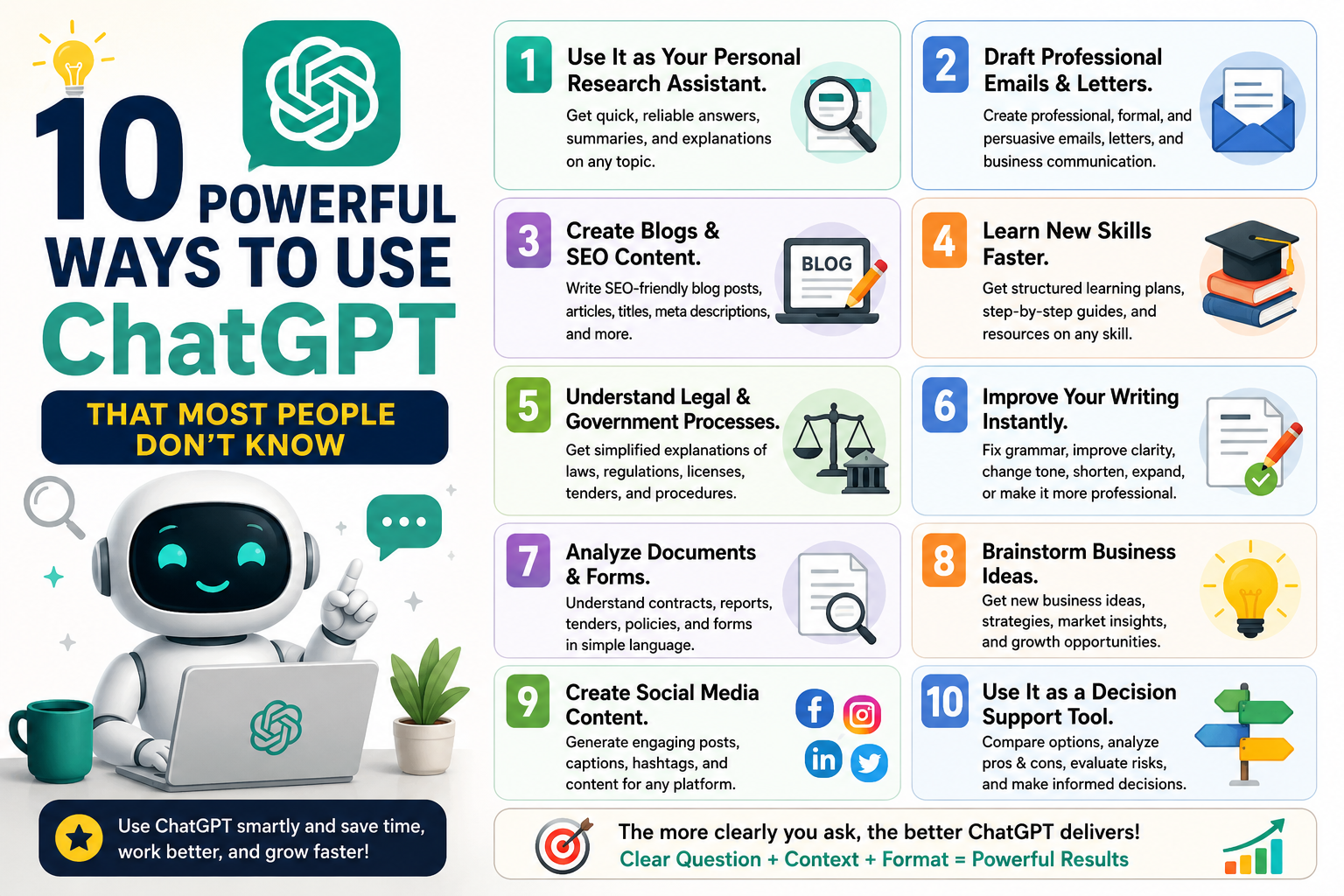
Now, coming to the 10 powerful ways people use ChatGPT to become more productive (most people don’t know these).
1. Use It as Your Personal Research Assistant.
Instead of searching 20 websites, ask me to summarize information quickly.
Example:
- “Explain the tender process in India step-by-step.”
- “Research the cement logistics supply chain.”
I will gather the knowledge and explain it simply.
2. Draft Professional Emails & Letters.
You can ask me to write:
- Government letters
- Tender clarification emails
- HR communication
- Business proposals
Example:
Write a formal letter to the tender officer regarding technical bid submission error.
You already used this a few times 👍.
3. Create Blogs & SEO Content
You can generate SEO-optimized blog posts for websites or LinkedIn.
Example:
Write an SEO blog on cement logistics workflow in manufacturing plants.
ChatGPT can also generate:
- Title
- Meta description
- Tags
- Categories
- URL slug
4. Learn New Skills Faster
Instead of random YouTube learning, you can ask for structured learning paths.
Example:
- Excel mastery roadmap
- Data analyst career path
- WordPress development learning plan
Then you can ask for daily learning tasks.
5. Understand Legal & Government Processes.
ChatGPT can simplify complicated procedures like:
- Tender participation
- Company registration
- Contractor licensing
- Liquor license process
- Municipality permissions
Example:
How to get a contractor license in Jharkhand?
6. Improve Your Writing Instantly.
Paste your text and ask ChatGPT to:
- Make it formal
- Improve grammar
- Convert to legal language
- Make it shorter or stronger
Example:
Make this email more professional.
7. Analyze Documents & Forms.
You can paste content from:
- Tender documents
- Government forms
- Startup applications
- Agreements
And ask:
Explain this clause in simple language.
8. Brainstorm Business Ideas.
If you want to start a business, I can help with:
- Business ideas
- Market demand
- Revenue models
- Startup strategy
Example:
Suggest business ideas in logistics or construction sector in India.
9. Create Social Media Content.
You can generate:
- LinkedIn posts
- Instagram captions
- YouTube scripts
- Reels captions
- Hashtags
Example:
Write a Holi caption with religious shlok and trending hashtags.
10. Use It as a Decision Support Tool
You can compare options before making decisions.
Example:
- WordPress vs Shopify
- Contractor business vs logistics business
- Job vs startup
Ask:
Compare these options with pros and cons.
💡 One Advanced Tip (Most Powerful)
The best results come when you give 3 things together:
Goal + Context + Format
Example:
I am applying for a government tender. Write a professional email to the tender officer explaining that my technical documents are already uploaded in the C-Folder.